Generic CVs are easy to send, but they rarely perform well. Recruiters and ATS tools look for evidence that your experience matches the specific role. When your CV speaks their language, your application stands out. The good news is that tailoring does not mean rewriting everything from scratch.

This guide breaks down a simple, repeatable process. You can use it for any role, and it keeps your CV honest and efficient. The goal is clarity, not exaggeration.
What tailoring actually means (not rewriting)
Tailoring is about relevance. It means emphasizing the experience and skills that matter most for the role, and de-emphasizing what does not. It is not about inventing new skills. It is about choosing the best evidence you already have.
Think of your CV as a set of facts. Tailoring is simply deciding which facts deserve the most visibility for a specific job. That can be as simple as changing a summary line, reordering bullet points, or updating your skills list.
Step 1: Extract job keywords
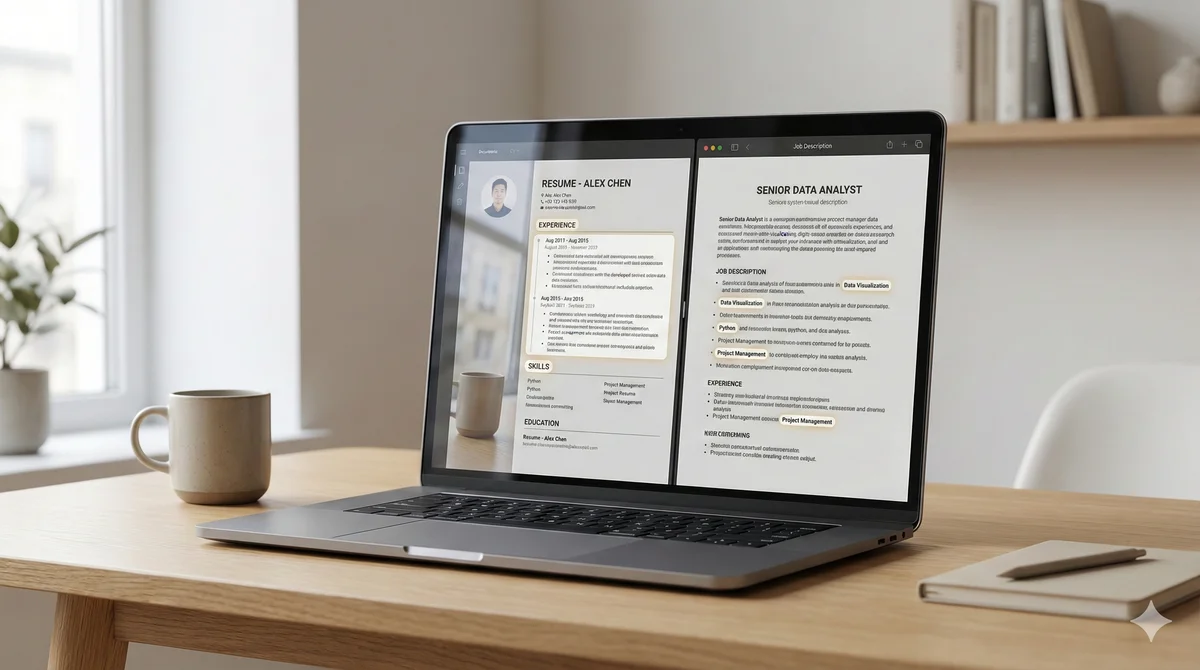
Start with the job description. Read it once for overall meaning. Then read it again and highlight:
- Role responsibilities (tasks you would perform)
- Required skills and tools
- Preferred experience or qualifications
- Specific outcomes or metrics (e.g., growth, cost savings, delivery speed)
Now list those keywords in a simple table or notes doc. Do not copy everything. Focus on repeated terms and core requirements. These are the signals ATS tools and recruiters will scan for first.

Step 2: Match skills and experience
Look at your current CV and map your experience to the keyword list. Ask:
- Where have I done something similar?
- Which projects show evidence of these skills?
- What tools or methods align with the role?
If you find gaps, decide whether they are real. If a keyword does not apply to your experience, do not force it. Instead, focus on transferable skills. For example, project management in one industry often transfers to another. The key is to show the same type of responsibility or outcome.
Then update your skills list to include the relevant terms you actually have. This helps ATS parsing and makes the CV easier to scan.
Step 3: Adjust summary and bullets
Your summary should act like a headline. It should quickly confirm that you fit the role. Use 2 to 3 lines that mention your title, years of experience, and key skills. Match the language of the job description where it is accurate.
Next, update your most recent roles. Start each bullet with an action verb. If the job description emphasizes a skill, move the most relevant bullet to the top. That ordering signals relevance immediately.
Example adjustments:
- Before: "Assisted with customer onboarding and support."
- After: "Led onboarding for 120+ enterprise clients, improving activation time by 25 percent."
The second bullet is more specific and aligns to outcomes, which is what most job descriptions implicitly demand.
Why manual tailoring takes too long
When you are applying to multiple roles, it is easy to burn hours on small edits. Manual tailoring becomes repetitive: extracting keywords, matching experience, updating bullets, then repeating the process for each role. The time cost is real.
That is why many job seekers revert to a generic CV. But the results drop, and they end up sending more applications to get the same number of interviews.
Faster way to tailor accurately
You can speed up tailoring by creating a master CV and then adjusting only the top third for each role. Keep a core document with all experience. Then, for each application, update the summary, skills list, and the top three bullets in your most recent role. That delivers most of the impact with minimal effort.
For an even faster workflow, you can tailor your CV to a job description by using a guided alignment check. The key is to keep the process simple and repeatable.
Tailoring does not need to be perfect. It needs to make your relevance obvious in the first glance. That is what moves you past the initial filters and into the interview pool.